
Microsoft Team Rooms
Seamless hybrid collaboration. Inclusive and productive meetings.
What is Microsoft Teams Rooms?
Microsoft Teams Rooms (MTR) transforms meeting rooms into professional collaboration spaces where starting or joining a Teams meeting is instant and intuitive. It integrates audio, video, content sharing, and scheduling into a single platform, perfectly synchronized with Outlook, SharePoint, and your entire Microsoft corporate environment.
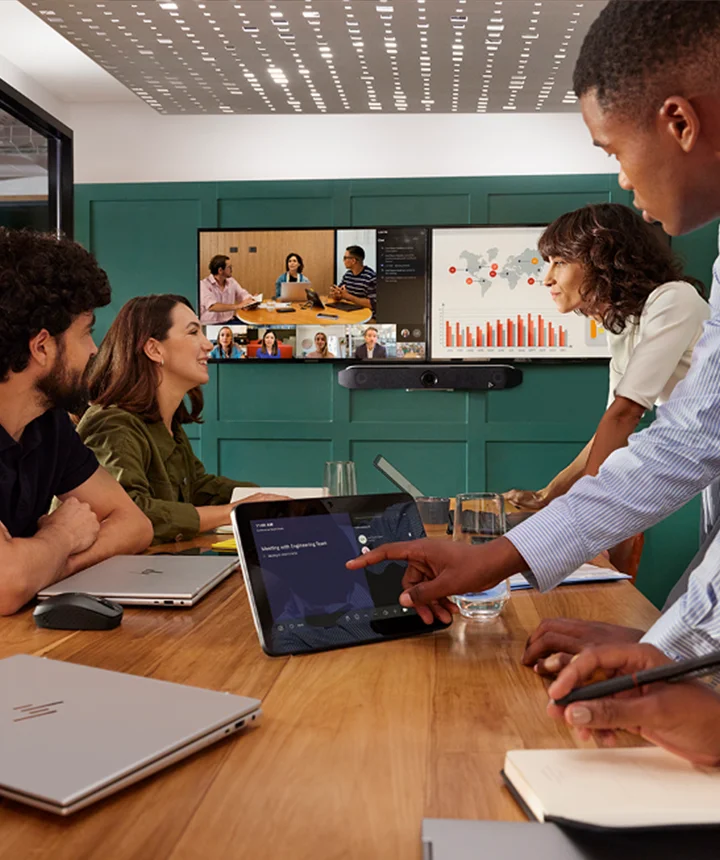
Why Choose Microsoft Teams Rooms?
Full Microsoft 365 Integration: Native synchronization with Outlook, OneDrive, SharePoint, and all the tools your organization already uses daily.
"One-Touch" Experience: Walk into the room and the meeting starts automatically. No complex setups, no wasted time.
Certified Audio & Video Quality: Equipment certified by Microsoft to ensure total clarity, noise cancellation, and intelligent framing.
Security & Compliance: Enterprise-grade data protection, end-to-end encryption, and compliance with GDPR and international standards.
Centralized Management: Monitor and control all rooms from the Microsoft Teams Admin Center, featuring proactive alerts and usage reports.
Inclusion & Accessibility: Real-time captions, automatic transcriptions, and integrated accessibility features.
What InteliAV Delivers
Consultancy & Solution Design
We analyze the physical space, network infrastructure, and usage requirements to design the ideal MTR solution — from selecting certified devices to integration with control, lighting, and room scheduling systems.
Configuration & Activation
We configure Microsoft Teams Rooms licenses, integrate with Active Directory and Exchange, customize the interface, and ensure everything works in perfect harmony with the Microsoft 365 environment.
Supply & Integration
We work exclusively with Microsoft-certified manufacturers (Logitech, Poly, Yealink, Crestron, Lenovo, etc.) to ensure full compatibility, automatic updates, and optimized performance.
On-site Training
We ensure your team masters the system, from scheduling meetings to content sharing and basic troubleshooting.
Professional Installation
Our specialized teams ensure a rigorous and tested installation: structured cabling, secure mounting, audio/video calibration, and connectivity testing with the corporate network.
Support & Maintenance
Ongoing technical support to ensure your rooms are always operational, updated, and aligned with the latest Microsoft Teams features.
Microsoft Teams Rooms Types
Huddle Rooms
Spaces for 2–4 people, ideal for quick meetings and informal collaboration. Compact solutions with touch screens, integrated cameras, and microphones.
Standard Meeting Rooms
Spaces for 6–12 people, equipped with intelligent framing cameras, tabletop or ceiling microphones, high-definition displays, and intuitive control panels.
Boardrooms
Premium solutions for executive rooms, featuring multiple screens, advanced audio systems, centralized environmental control (lights, shades, climate), and presentation system integration.
Auditoriums & Training Rooms
Large-scale implementations with PTZ cameras, professional sound reinforcement, live streaming, and capacity for hundreds of remote participants.
Advanced Features
Collaborative Digital Whiteboard: Share and edit whiteboards in real-time with remote participants.
AI-Powered Smart Cameras: Auto-framing, speaker tracking, and multiple video views.
Wireless Content Sharing: Share laptop and mobile device screens without cables.
Automatic Recording & Transcription: All meetings can be recorded and transcribed automatically for later reference.
BYOD (Bring Your Own Device) Integration: Use your own laptop while maintaining the room's professional audio and video quality.
Benefits for Your Organization

Increased Productivity: Less technical friction, more focus on decisions and collaboration.
Equitable Hybrid Experience: Remote participants enjoy the same quality of experience as those in person.
Reduced Operational Costs: Fewer travels, more efficient meetings, and better space utilization.
Security & Compliance: Protection of corporate data with the highest Microsoft security standards.
Professional Image: Convey modernity and confidence in every interaction with clients, partners, and employees.
Why InteliAV as your Microsoft Teams Partner?
Certified Expertise: Teams trained and certified in the latest Microsoft Teams Rooms technologies.
Proven Experience: Over 20 years implementing collaboration solutions across all sectors.
360º Approach: From consultancy to maintenance, we ensure continuity and excellence at every project stage.
Local Support: Technical team in Portugal, ready to respond when you need it.
Partnership with Top Manufacturers: Direct access to global leaders certified by Microsoft.
Ready to transform collaboration in your organization?