Video conferencing is an important tool for communication and collaboration between people in different parts of the world. Companies can use it to hold online meetings, talks and employee training sessions, as well as enabling communication between teams working in different locations.
In this article, we cover everything about video conferencing:
-
What it is and how it works
-
Its advantages
-
Important tips for setting up a video conferencing room
-
How to hold a video conference
-
The difference between a video conference and a video call
-
The types of video conference
-
How to present yourself
-
An introduction to the Zoom platform
Continue reading to discover everything about video conferencing!
What is video conferencing and how does it work?
Video conferencing is a technology that enables real-time communication between two or more people in different locations using audio and video. It is an extremely useful tool for businesses, educational institutions, freelancers and other organisations that need to communicate with employees, suppliers, customers or partners in different parts of the world.
It works through software or an application that transmits audio and video in real time. Users need access to a camera and microphone so they can communicate with one another. A good internet connection is also essential to ensure communication quality.
What are the advantages?
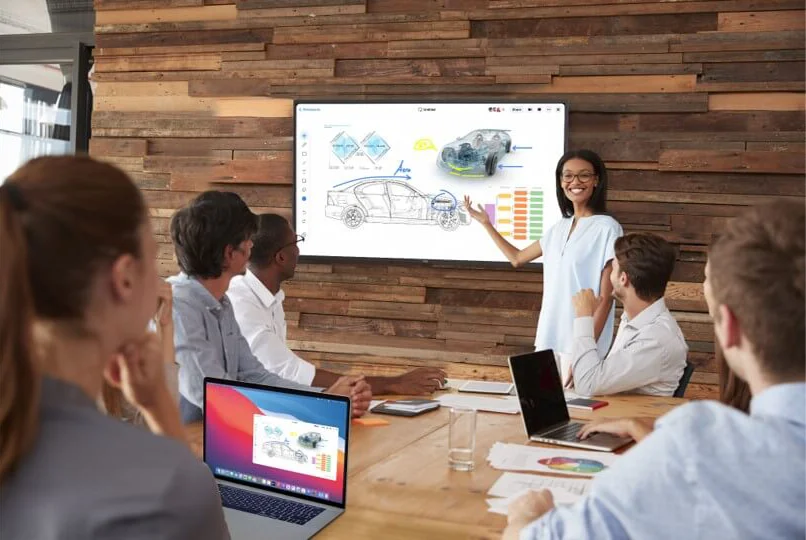
Using video conferencing presents numerous opportunities for businesses, educational institutions and organisations. Whether engaging remote workers or collaborating across departments and locations, video conferencing technology is efficient, cost-effective and scalable.
It helps increase productivity by enabling several people to participate from different locations and allowing more than one meeting to take place on the same day.
Saving time and money is another advantage for businesses. Holding meetings remotely reduces the need to travel and, consequently, transport and accommodation costs. It also allows meetings to take place more quickly and conveniently.
Finally, video conferencing improves communication by allowing teams to work together even when they are physically apart. This is particularly important for companies with branches in different locations or employees working from home.
In addition to these advantages, we share others in our article “The 6 Benefits of Investing in Video Conferencing”.
Important tips for setting up a video conferencing room
Setting up a video conferencing room may seem complex, but with the help of a specialist team, the process can be made simple. To configure your meeting room, you will need the following equipment:
-
Loudspeakers
-
Camera
-
Microphone
-
High-speed internet connection
-
Video conferencing platform
It is also important to plan the arrangement of all the elements in the room, always taking acoustics and lighting levels into account.
With a well-configured video conferencing room, you can make the most of the benefits a video conferencing solution has to offer.
Alongside the benefits, there are also some challenges that may arise. You can learn more about how to address video conferencing challenges in this article on our blog.
How do you hold a video conference meeting?
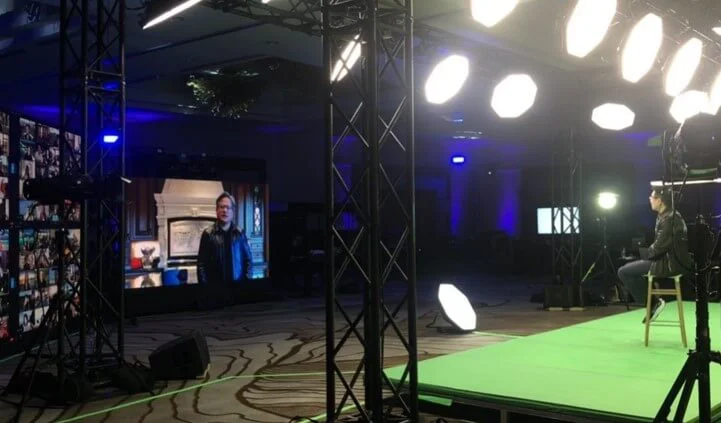
Holding a video conference meeting may seem complex to some people, but with the right steps, it is possible to have a successful meeting.
First, test the platform and familiarise yourself with it well in advance.
Make sure you have a good internet connection, a quality camera and microphone, and a suitable, quiet environment for the meeting.
To start the video conference, choose the tool you want to use – such as Zoom – and log in. Then create or join a meeting room and invite participants using the invitation link.
What is the difference between a video conference and a video call?
A video call is a video communication between two people, which can be made through applications such as WhatsApp. A video conference is an online meeting between two or more people in different locations, where participants can share their screen, information, tables and files, and interact via chat or voice.
Video calls are more useful in informal or personal situations, while video conferencing is used by organisations for meetings, events, training and distance learning.
The choice between the two depends on the purpose and needs of each situation.
What are the types of video conference?
Video conferences can be held in different ways, depending on the needs and conditions in which they take place. With the widespread use of this form of communication, three types of video conference have emerged:
-
Point-to-point: The simplest type, involving only two people connected through devices such as computers or smartphones. It is useful for quick conversations and one-to-one meetings. It is ideal for job interviews, as employers can speed up the employee selection and hiring process.
-
Multipoint: More than two people take part in the conversation, each in a different location. This type of video conference is commonly used for business meetings, talks and training because it allows several people to participate from different places. In multipoint conferences, the host provides links for participants to join larger meetings. For example, it supports companies with offices in multiple locations and remote workers, connecting offices through multipoint conferences.
-
Cloud-based: Participants connect through a cloud video conferencing platform. Data processing and connections are managed on external servers, reducing the processing load on participants’ devices and allowing greater scalability. This type of video conferencing enables anyone to create a video conference room simply and intuitively. Cloud-based video conferencing is especially useful for large companies and organisations that hold frequent meetings and events with many participants.
Tips for presenting yourself appropriately during a video conference
Using this tool to communicate is increasingly common, so it is important to remember to present ourselves appropriately, as this affects how others perceive us.
We have prepared some tips to help you get ready and present a good image:
-
Check your framing—your shoulders and face should be visible without being cut off.
-
Check the lighting—the light should be in front of you and behind the camera.
-
Check your background—or replace it using the video platform’s features.
-
Check your internet connection and audio and video equipment.
-
Choose appropriate clothing.
-
Avoid distractions.
-
Maintain eye contact with participants.
-
Speak clearly and concisely.
Following these simple tips can help you present yourself well and communicate effectively.
Discover the benefits of using Zoom
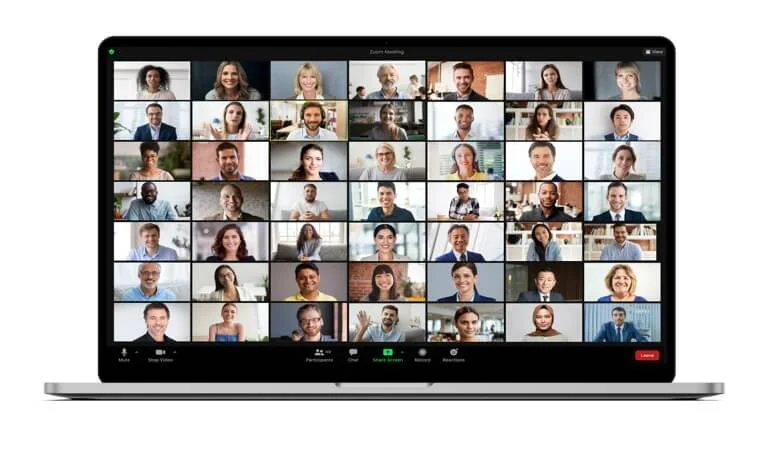
You can hold video conferences using free versions of platforms such as Google Meet, but these have time limits and may require other applications to record meetings. By using Zoom, you gain a complete and intuitive tool that enhances your experience of remote communication, collaboration and information sharing.
Video conferencing on Zoom offers several benefits, including:
-
Simplicity: As well as being easy to use, Zoom has an organised interface that improves the participant experience.
-
Increased productivity: Virtual meetings make it possible to optimise time and improve team efficiency.
-
Improved communication: Zoom enables real-time interaction, supporting clearer and more direct communication between employees and customers.
-
Collaboration tools: Zoom allows screen sharing, file sharing and real-time annotation, making collaboration between participants easier.
-
Flexibility: The ability to hold video conferences from anywhere, whether on a computer or mobile phone, provides greater flexibility in the working day.
-
Security: Zoom has added valuable security features to protect meetings and user data.
These benefits are important for all businesses, especially those that need to adapt to remote working and maintain good communication with customers, suppliers and employees.
Conclusion
Video conferencing is a technology that was widely used during the pandemic. Today, it has become an important tool for improving communication, increasing productivity and saving time and money.
In this article, we have shown you everything you can and should know about video conferencing, including what it is and how it works, how to hold a successful video conference, the differences between video conferencing and video calls, the types of video conference and the advantages of using video conferencing, among other information.
We are available to help you find the best video conferencing solution for your meeting room so you can experience its benefits. Contact InteliAV today!