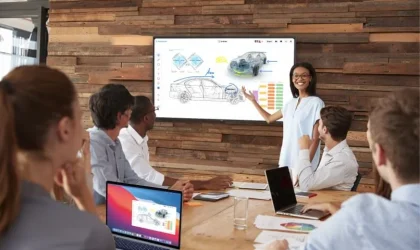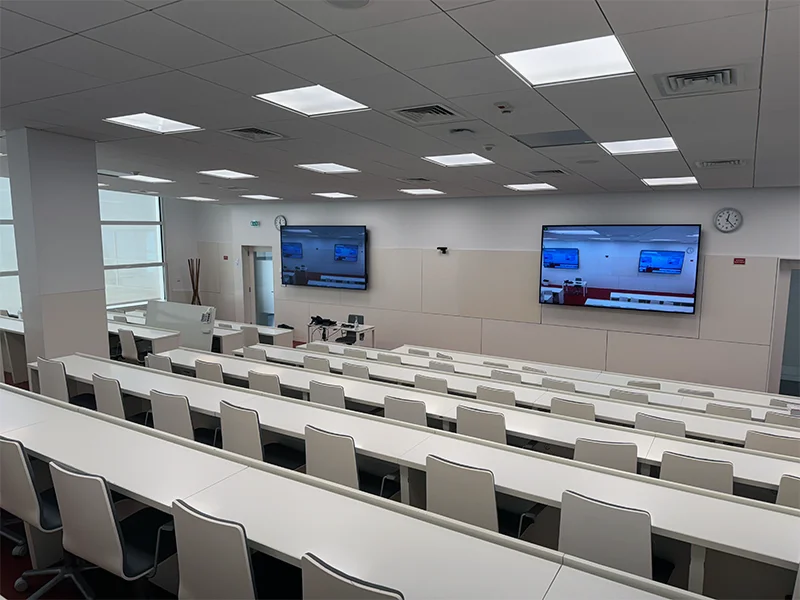
A classroom equipped for different ways of teaching and learning combines technology, space and teaching practices. Interactive displays, audio systems and video conferencing tools can support participation, collaboration and hybrid teaching—provided they are chosen according to the school’s needs and integrated in a straightforward way.
What defines a classroom of the future?
There is no single configuration. A classroom may need to support in-person teaching, group collaboration, content presentation or participation by remote students. The project should start with these uses and consider existing equipment, the size of the space and ease of use for teachers and students.
Technology should complement teaching objectives, not make lessons more complicated. Equipment selection and how it is controlled should therefore be considered together.
Interactive displays for explaining and collaborating
An interactive display allows users to present content and interact with it directly on the screen, depending on the equipment’s features and the applications used. It can be used to write, highlight elements, explore digital materials or share content with the class.
When choosing a display, it is important to consider the size of the room, viewing distance, number of users and how teachers intend to work. It is also worth checking compatibility with computers, platforms and digital resources already used by the school.
Clear audio for the whole class
In classrooms, hearing instructions and explanations clearly is essential. The audio solution should take into account the size and acoustics of the space, where students are seated and how the teacher uses their voice or other audio resources.
Microphones and loudspeakers can be considered when justified by the room layout or activities. The need for specific systems should be assessed for each space; there is no universal solution suitable for every classroom.
Hybrid teaching and distance learning
When some participants attend a lesson remotely, the classroom needs to enable communication between those present and those connecting from a distance. The selection of cameras, microphones and playback systems should take into account the lesson format, the platform used and how content is shared.
Equipment placement and the ease of starting a session affect day-to-day use. The solution should allow the teacher to focus on the lesson without relying on a complicated sequence of operations.
How do you choose technology for a school?
Before selecting equipment, it is worth assessing the teaching needs and conditions of each space:
Room use: teacher-led lessons, group work, presentations or hybrid sessions.
Size and layout: number of students, distance from the display and furniture arrangement.
Existing resources: computers, network, platforms, cabling and equipment that can be integrated.
Ease of use: functions required by teachers and technical teams, with simple, consistent controls.
Accessibility: hearing, viewing and participation needs that should be considered in the project.
Installation and maintenance: equipment location, power, connections and access for servicing.
An assessment of each space helps establish priorities and select solutions suited to the school’s context.
Integration and user support
Displays, audio, cameras and platforms should work together in a way that fits teaching routines. Installation should account for the necessary connections and everyday use, as well as support for teachers so they feel comfortable using the equipment.
InteliAV can support schools and educational institutions in assessing their spaces and defining audiovisual solutions, including interactive displays, audio and technology for hybrid teaching.
Want to prepare a classroom for new ways of teaching and learning? Request a proposal from InteliAV.